New Free 14-day trial — no credit card required. Download →

The complete PDF workspace.
Perfected.

The all-in-one desktop PDF suite. Do everything with your PDFs — edit, redact, OCR, sign, protect — without anything ever leaving your computer.


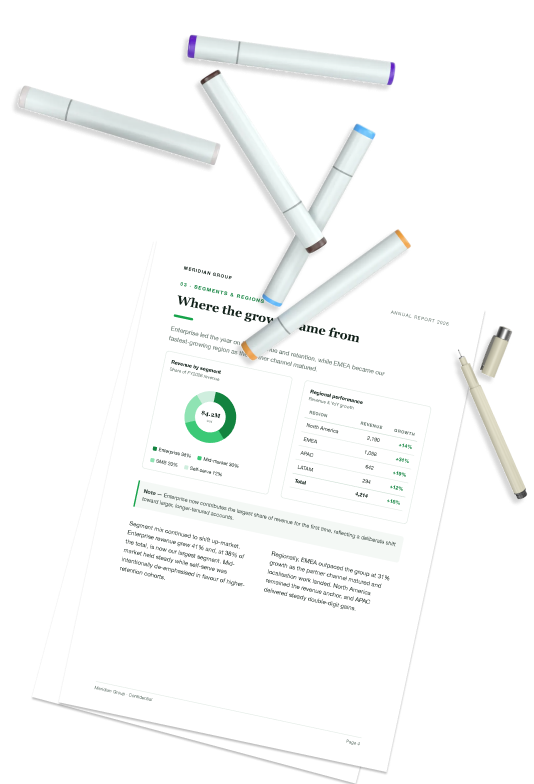
Sticky note reading ITR PDF App is now ready, with a highlighter and pencil Printed pages of the annual report and colour markers
★  One desktop app replaces your entire PDF toolchain  ★
Capabilities

Every PDF job, mastered in one place

A professional-grade toolset that scales from a quick read to enterprise redaction — without ever leaving the app or your device.

View & read

Continuous, two-page & 3-D flipbook layouts, outline, search, day / night / sepia reading.

Annotate & review

Markup, shapes, notes & stamps, plus threaded comments with author and status.

Edit content

In-place WYSIWYG text editing, find & replace, headers, footers and watermarks.

Organize & assemble

Reorder, rotate, split, merge, extract and flatten — drag-and-drop organizer.

Forms & signatures

Fill AcroForms, build fields, and sign by hand or with a certified PKCS#12 signature.

Protect & redact

Permanent burn-in redaction, metadata sanitizing, passwords and permissions.

Convert & export

Export to Word, PowerPoint, HTML, images & flat PDF; compress and compare.

Intelligence & automation

On-device OCR, PDF/A & accessibility compliance, and folder-level batch processing.

Deep dive

Built for real, professional work

Not a viewer with a few extras — a full production tool for documents that matter.

ANNOTATE & REVIEW

Markup that survives the round-trip

Review like a pro: precise highlights, callouts, shapes, freehand and sticky notes — every comment carries an author and a status, and round-trips cleanly via XFDF.

  • Threaded comments with author & review status
  • Highlight, underline, strike, shapes, polygons, clouds
  • Flatten or export markup; XFDF import/export
PROTECT & REDACT

Remove sensitive data for good

True redaction that bakes black bars into the page content, then sanitizes hidden metadata, JavaScript and attachments. Lock with passwords and granular permissions before you share.

  • Permanent burn-in redaction (not just an overlay)
  • Metadata / JS / attachment sanitization
  • Password & permission controls, mark as final
INTELLIGENCE & AUTOMATION

Make any scan searchable

Run on-device OCR to recover selectable, searchable text from scans and images — in dozens of languages — and embed an invisible text layer so the document stays pixel-perfect.

  • Invisible searchable text layer over the scan
  • Dozens of languages, fully offline
  • PDF/A export, accessibility audit & folder batch processing
EDIT CONTENT

Edit the page itself — not just notes on it

Change the actual text inside a PDF with true in-place WYSIWYG editing — fonts, sizes, colours and layout preserved — then find & replace, and stamp headers, footers, Bates numbers and watermarks.

  • In-place WYSIWYG text editing on the page
  • Find & Replace across the whole document
  • Headers, footers, Bates numbering & watermarks
Everything included

One app. Eight capability pillars.

No add-ons, no upsells — every capability below ships in every install, ready the moment you open the app.

LAYOUTS
Continuous scrollSingle pageTwo-page spreadFlipbook (3-D)
READING COMFORT
DayNightSepiaRead ModeZoom / Fit-width
FIND YOUR WAY
Page thumbnailsOutline & bookmarksFull-text search
TEXT MARKUP
HighlightUnderlineStrikethroughSquiggly
SHAPES & DRAWING
RectanglePolylinePolygonCloudPencilEraser
NOTES & STAMPS
Sticky notesFree-textCalloutsStamps
REVIEW WORKFLOW
Threaded commentsAuthor & statusXFDF import / export
TEXT EDITING
In-place WYSIWYG editingFonts, size & colour preserved
SEARCH
Find & Replace
PAGE FURNITURE
Headers / footersBates numberingWatermarks
PAGE MANAGEMENT
ReorderRotateDeleteDuplicateExtractInsert
DOCUMENT STRUCTURE
SplitMerge files
FINALIZE
Flatten pages
FILL
TextMultilineCheckboxDropdownSignature fields
BUILD
Drag-to-create fields
SIGN
HandwrittenCertified PKCS#12 (ByteRange)
SECURITY
PasswordPermissionsEncryption
REDACTION
Redact toolPermanent burn-in
HYGIENE
Sanitize metadata / JS / attachmentsMark as Final
TO OFFICE
WordPowerPoint
TO WEB / TEXT
HTMLPlain text
TO PDF / IMAGE
Flattened PDFImagesAnnotated PDFFlipbook (.html)
OPTIMIZE
CompressCompare
OCR
Scanned → searchableDozens of languagesFully on-device
COMPLIANCE
PDF/A exportAccessibility audit
AUTOMATION
Batch-process whole folders
annual-report.pdf
LayoutContinuousSingleTwo-pageFlipbook
ReadingDayNightSepia
contract.pdf — review

The parties agree that all deliverables ship by March 2026. Any late penalties are waived at the client’s discretion, and confidential terms apply throughout the engagement.

✎ Check clause 4.2 before signing
● SARAH · APPROVEDClause looks good — ready to sign.
memo.pdf — editing

Edit the real text on the page — fonts, sizes and layout stay perfectly intact.

Find penalty Replace fee Replace all
DRAFT
HEADER · Confidential
Page 1 of 12 · Bates 000123
organize pages
1
2
3
4
↕ Reorder⟳ RotateSplitMergeFlatten
onboarding-form.pdf
John Carter
I agree to the terms & conditions
Legal
CERTIFIED · PKCS#12
case-file.pdf — protected

Client SSN 000-00-0000 and account 0000 1234 5678 are permanently burned out of the page — not just hidden behind a box you can lift off.

🔒 PasswordPermissionsEncryption
  • Metadata, JavaScript & attachments sanitized
  • Marked as Final
FINAL
export
PDF
WordPowerPointHTMLImagesFlat PDFFlipbook
OptimizeCompressCompare
scan-001.pdf — OCR
⌕ 1,284 words recognized
On-deviceDozens of languagesPDF/AAccessibilityBatch · 128 files
AI assistant

Chat with your PDF

Ask a 200-page report a question and get a straight answer — with the page it came from. Summarize a contract, pull the numbers out of a table, or compare two revisions without reading every line.

  • Answers cite their source — jump straight to the page a claim came from
  • Summarize & extract — abstracts, action items, tables and key figures
  • Ask across documents — question a whole folder, not one file at a time
  • Your key, your provider — bring your own API key, or point it at a local model
Opt-in — off until you turn it on
annual-report.pdf — AI Chat
What drove the margin improvement this year?
Operating margin rose to 21.7% from 18.6%, a 3.1 point gain. It came from gross profit growing 22% while operating expenses grew only 16.4% — so revenue outpaced cost. Page 3 · Income statement Page 2 · Summary
Which region grew fastest?
EMEA, at +31% year over year
Ask anything about this document…
PaperPlane

Send a file to any of your devices

Phone to laptop, iPad to desktop, tablet to phone — any direction you need. No emailing it to yourself, no hunting for a cable, no bouncing it through someone else's cloud. PaperPlane sends the file straight from one device to the other.

  • Any device to any device — Android phone or tablet, iPhone, iPad, laptop or desktop, in any combination
  • Your devices, found for you — everything you've paired shows up ready to send to
  • Encrypted in transit — and paired devices only, never open to anyone else
  • Any file, any size — no upload caps, no compression, no waiting on a sync
Android · iPhone · iPad · Laptop · Desktop
Android Android tablet iPhone iPad Laptop Desktop
annual-report.pdf direct
Private & secure by design

Private by default — your documents stay yours

Built for legal, finance, healthcare and government workflows: your files stay on your device, and cloud, AI and device-to-device sharing only ever run when you choose to turn them on.

On-device by default

Cloud & AI are opt-in

True redaction

Burned-in, not overlaid

Digital signatures

PKCS#12 / certified

PDF/A archival

Standards-compliant

20+Tools in one app
2Platforms · Win & macOS
0Files sent to the cloud
Documents, no limits
One app vs. the toolchain

Replace a stack of subscriptions

Everything teams normally cobble together from a reader, an online editor, a redaction tool and a signing service — in a single desktop app that never uploads a file.

What you need ITR PDF Suite Cloud PDF tools Office & readers
View, edit & annotate Full WYSIWYGPartial · per-toolRead-only mostly
True burned-in redaction PermanentOverlay only
On-device OCR OfflineUploads your file
Certified digital signatures PKCS#12Add-on / paid tier
Forms, organize, convert Built-inSeparate toolsLimited
Files leave your computerNeverAlways uploadedVaries
Works fully offlinePartial
CostOne app, one licenseMultiple subscriptionsBundled / limited
Download

Get ITR PDF Suite

Pick your platform below — we've highlighted the build that matches your device. Install, then activate with your account email and password to start your free 14-day trial.

One license, every capability. No card required to start — your 14-day trial activates the moment you sign in inside the app.

DETECTED: macOS Download for macOS →

Free 14-day trial · activate with email & password · no card required

Windows

Windows 10 & 11 · 64-bit

Installer (.exe)NSIS
Enterprise (.msi)MSI
macOS

macOS 12 Monterey & later

Apple SiliconM1–M4
Intelx64
Android

Phone & tablet · Android 8.0 and later

iOS & iPadOS

iPhone & iPad companion

COMING SOON
FAQ

Questions, answered

Everything you might want to know before installing ITR PDF Suite.

Your core PDF work — viewing, editing, OCR, redaction, signing and conversion — runs entirely on your own device and never touches our servers. Optional features reach out only when you ask them to, and only to services you choose: the AI assistant uses your own API key, cloud storage connects directly to your own OneDrive, Google Drive or Dropbox, and PaperPlane sends files device-to-device between your own machines. IT-RANKS is never in the middle of your documents — which keeps ITR PDF Suite suitable for legal, finance, healthcare and government workflows. See our Privacy Policy for the full breakdown.

Create a free account, download the app for your platform, and sign in inside the app with your email and password. Your 14-day trial activates automatically — no credit card required.

Open ITR PDF Suite and choose "Activate". Sign in with the same email and password you used to register on the portal.

Windows 10 and 11 (64-bit) and macOS 12 Monterey or later, on both Apple Silicon and Intel.

Yes. The app ships with a signed MSI for managed Windows deployments, and enterprise plans support seat-based licensing managed from the portal.

For most teams, yes. It covers viewing, annotation, in-place editing, organizing, forms and signatures, protection and true redaction, conversion and export, plus on-device OCR and batch automation.

PDF
Get started

Perfect your PDFs today

Create an account and your free 14-day license is ready in seconds. No card, no lock-in, no catch.